When Life Gives You Bills,
Make a Lemonbudget

Budget smarter and track expenses efficiently. Beautiful dark-mode design, powerful features, and your privacy protected.

Track expenses, manage budgets with rollover, set financial goals, and handle subscriptions. Beautiful design that respects your eyes. Privacy-first with zero bank access required. Works everywhere as a web app or PWA.

Start Free Trial Sign In
30-day free trial
No credit card required
40 CHF/year after trial
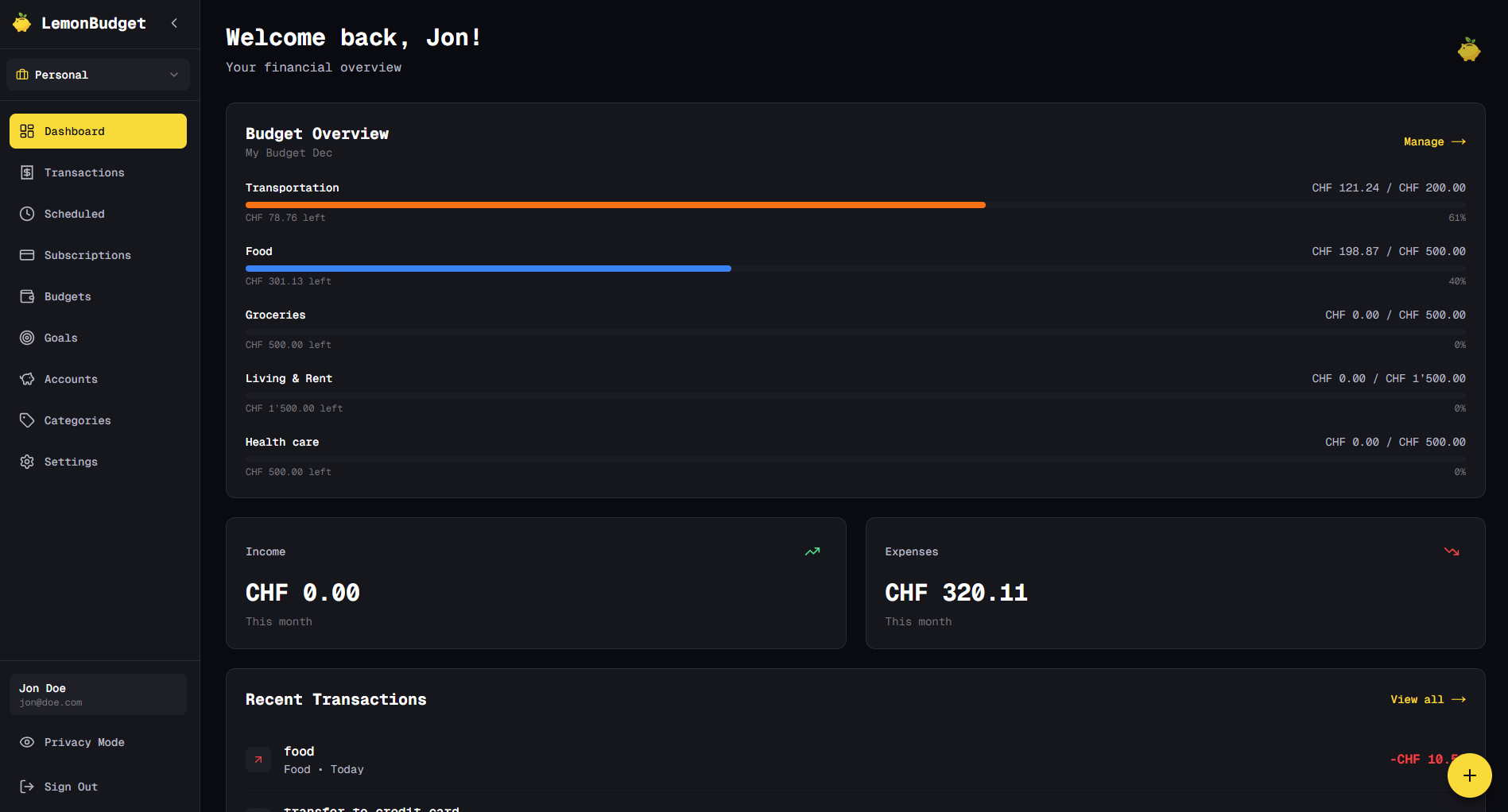
Lemonbudget Desktop Dashboard
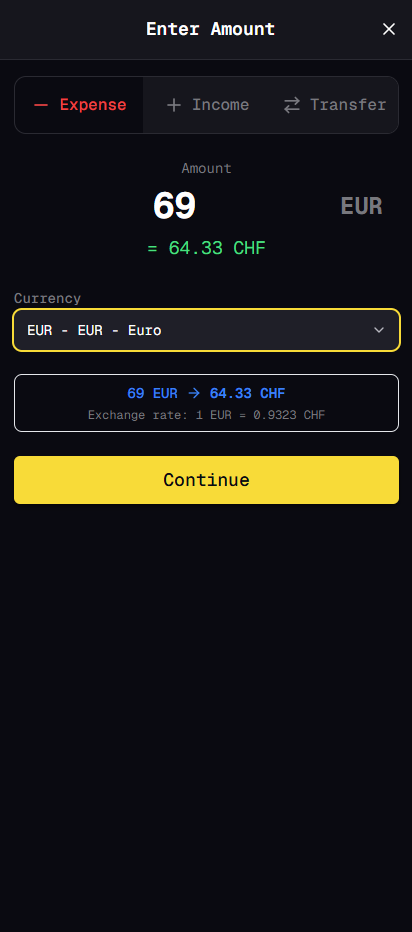
Lemonbudget Mobile Transaction Entry

Everything You Need to Manage Your Money

Powerful budgeting features in a beautiful dark-mode interface

🌙

Dark Mode First

Designed from the ground up for dark mode. Beautiful, easy on the eyes, and perfect for late-night budget reviews. Not an afterthought - it's our identity.

DESIGN FIRST

Fast Expense Tracking

Add expenses in seconds with custom categories and tags. Multi-currency support included. Import data via CSV to get started quickly.

CORE FEATURE
👥

Workspace Sharing

Create workspaces and invite family members or partners. Share budgets, view combined finances, and collaborate on household expenses together.

COLLABORATION
💼

Multiple Accounts

Track checking accounts, savings, credit cards, and cash. See your complete financial picture with customizable account types.

ORGANIZATION
💰

Budget Rollover

Unused budget automatically carries forward to next month. No more "use it or lose it" pressure. Build up cushions in your categories over time.

SMART BUDGETING
🔁

Scheduled Transactions

Track recurring expenses and subscriptions. Set up scheduled transactions for rent, utilities, and regular payments. Never miss a bill.

AUTOMATION
🎯

Savings Goals

Set financial goals and track your progress. Save for vacations, emergency funds, or big purchases. Watch your progress grow over time.

MOTIVATION
📊

Category Management

Create custom categories organized your way. Nested subcategories for detailed tracking. Color-code categories for quick visual reference.

CUSTOMIZATION
🌍

Multi-Currency

Travel often? Work internationally? Track multiple currencies with automatic conversion. Perfect for digital nomads and expats.

GLOBAL
🌐

Web-Based + PWA

Works on any device with a browser. Desktop, tablet, phone - same great experience. Install as a Progressive Web App (PWA) for offline access and a native app feel.

CROSS-PLATFORM
📥

Import & Export

Import your existing data from CSV files. Export your complete financial data anytime. Your data stays yours, always accessible.

DATA FREEDOM
🔐

Privacy-First

100% manual entry means zero bank credentials required. Your data stays yours forever. We never sell your information. Bank sync? Maybe later, but never required.

NO BANK ACCESS

See LemonBudget in Action

Beautiful dark-mode design that makes budgeting a pleasure, not a chore

Desktop Experience

Dashboard Overview

Track your income, expenses, and budgets at a glance
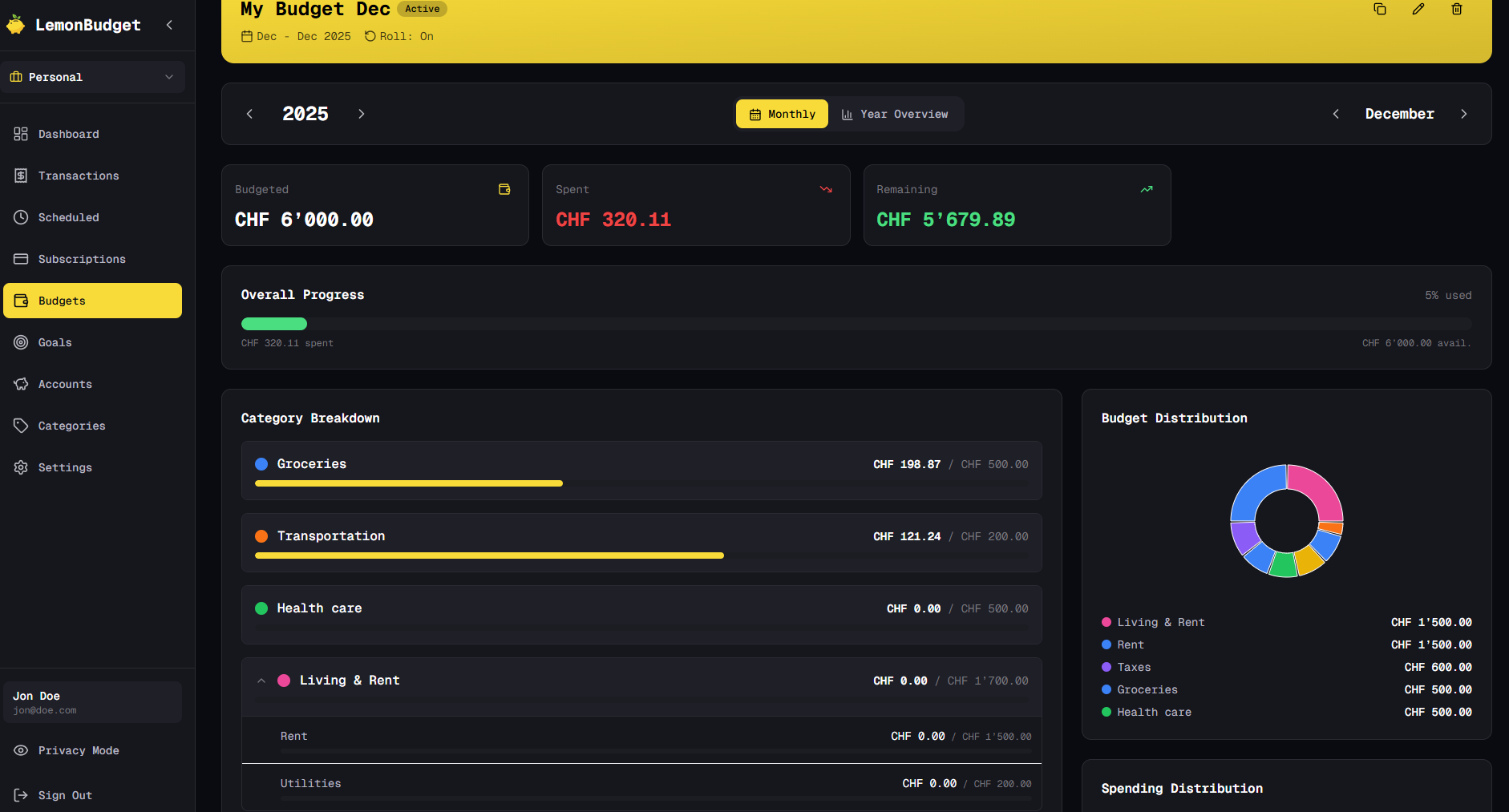
Budget Management

Set budgets with rollover and track spending in real-time
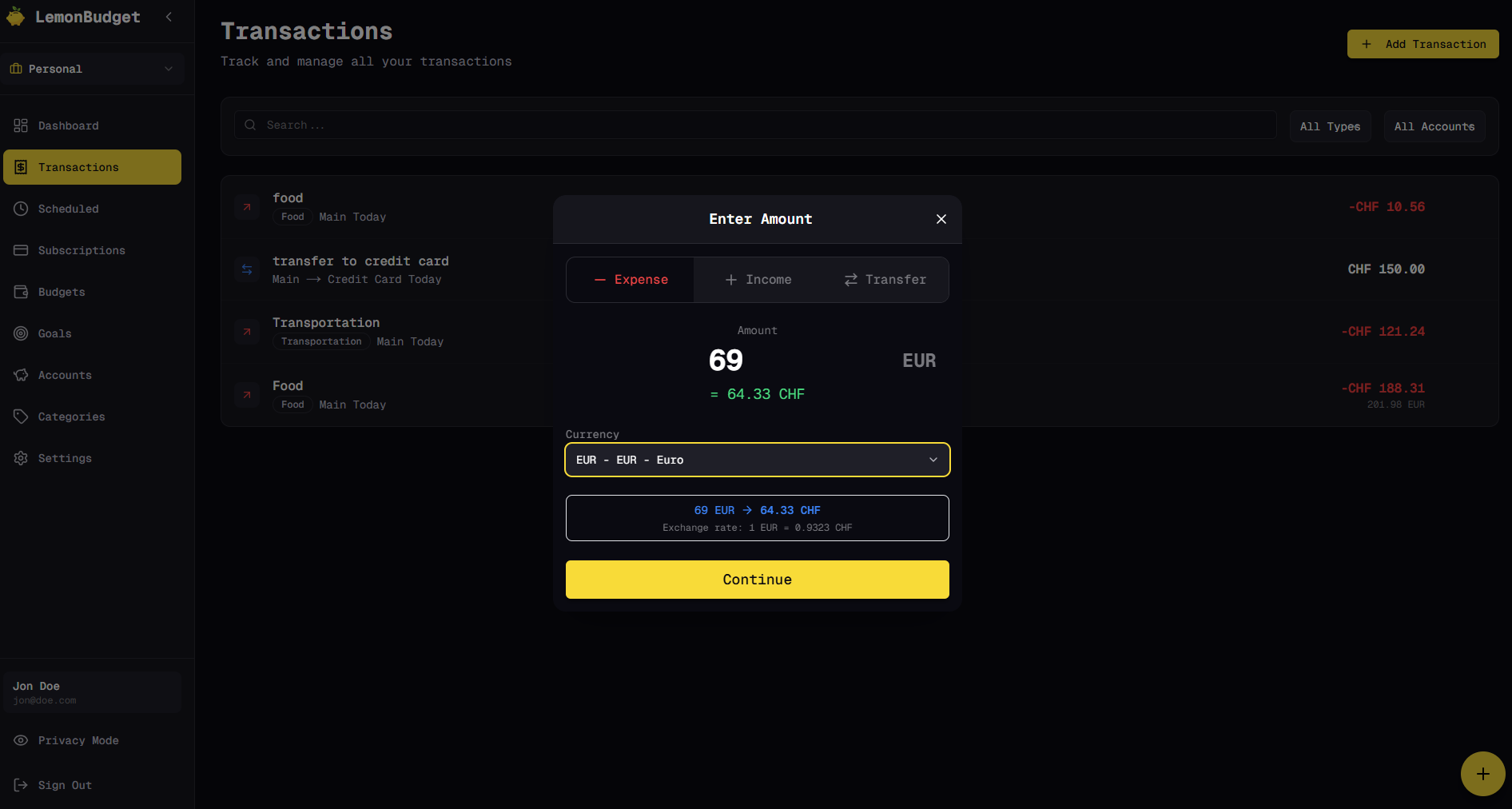
Transaction Entry

Add transactions quickly with smart category selection

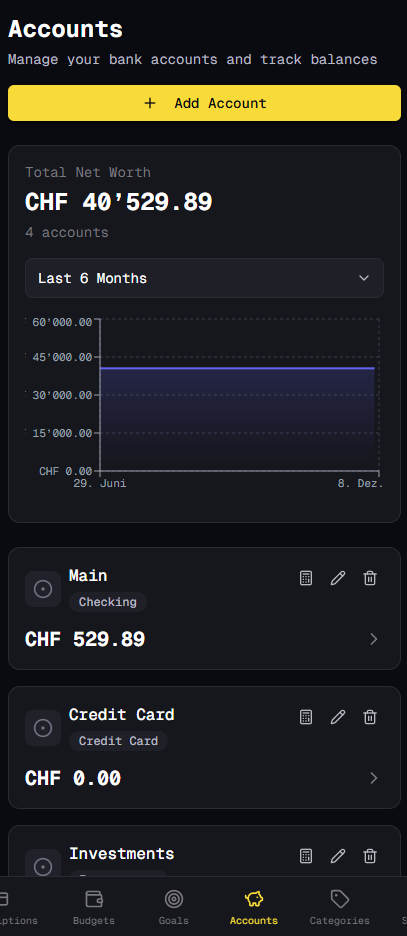
Accounts Overview

Manage multiple accounts and track your net worth
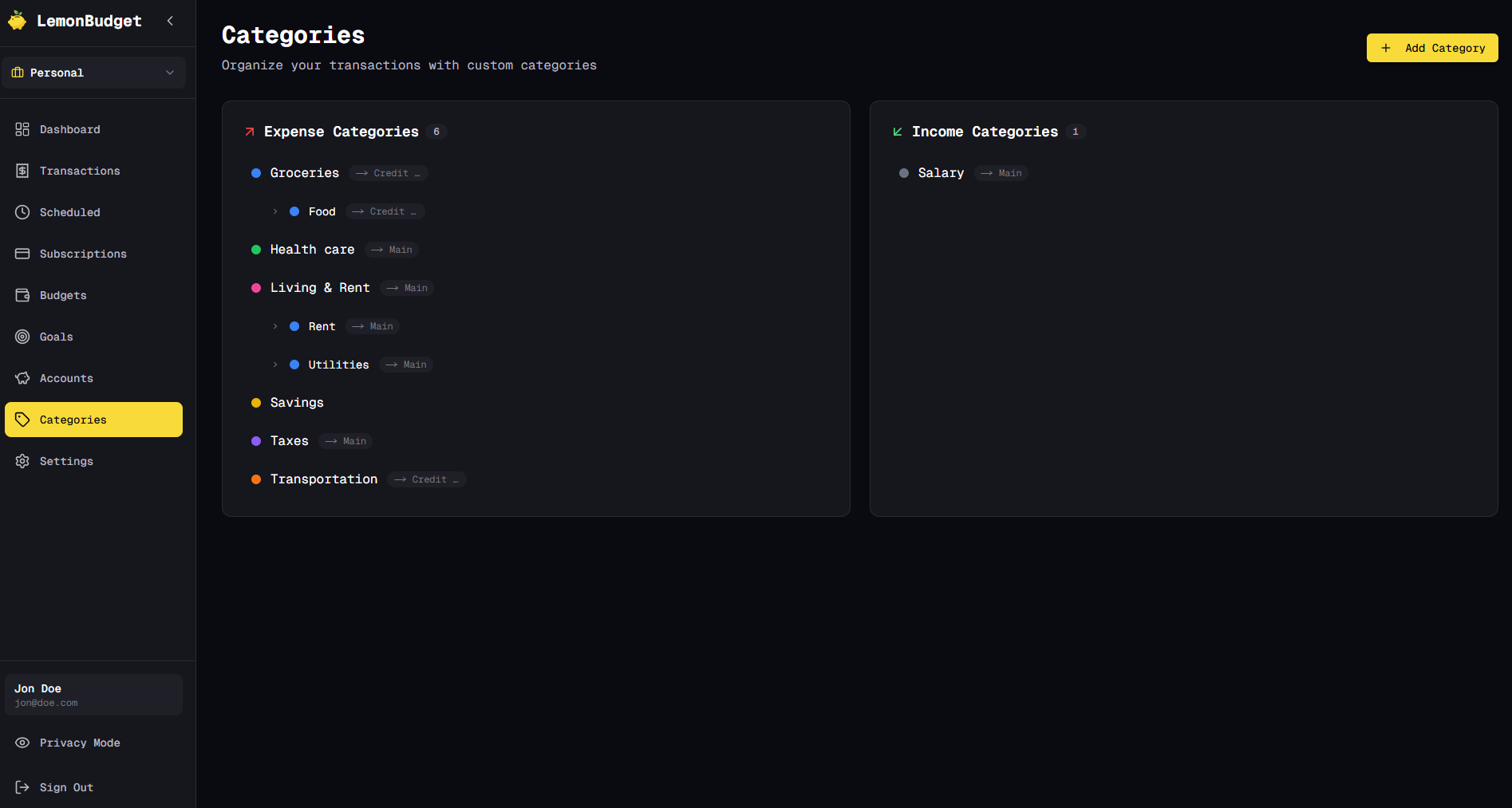
Categories Management

Customize categories and organize your finances your way

Mobile & PWA Experience

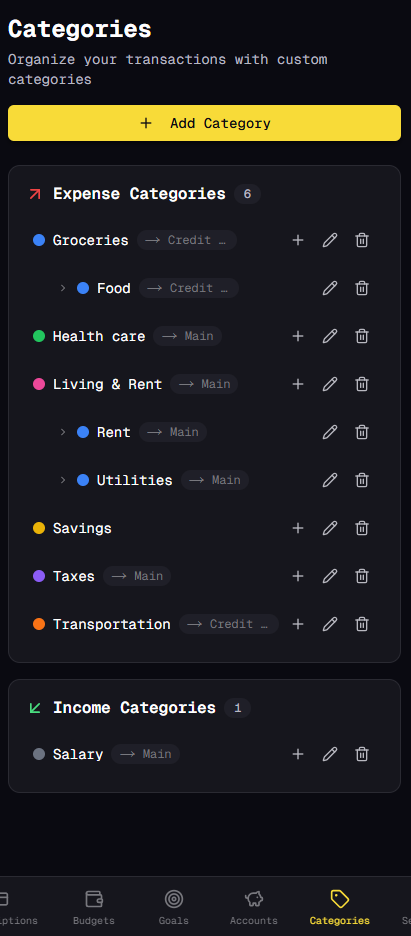
Mobile dashboard

Full-featured mobile experience

Transaction Entry

Add expenses in seconds

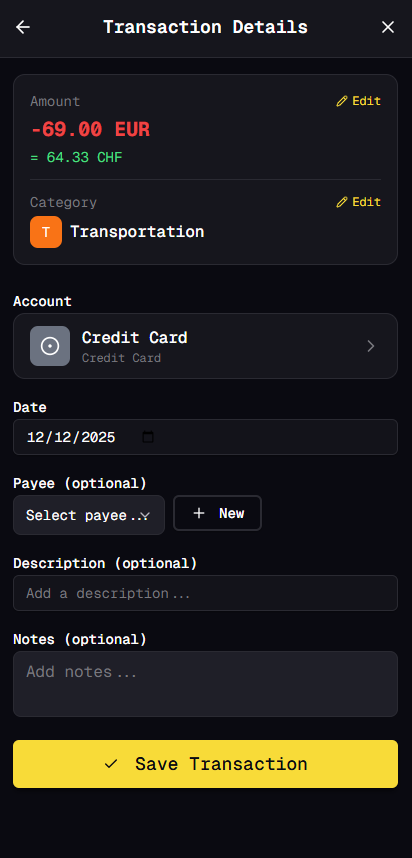
Transaction Overview

Review transaction details at a glance
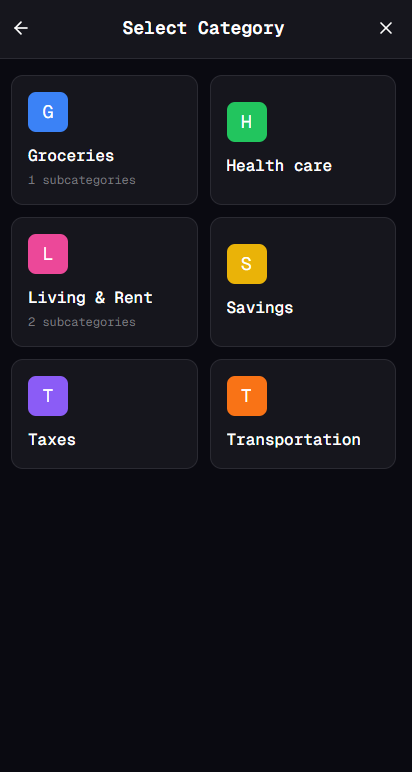
Account Selection

Quick account selection

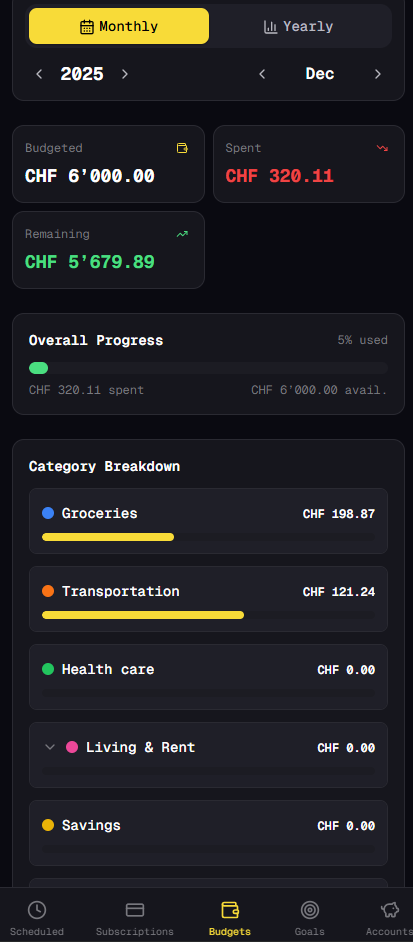
Budget View

Monitor budgets on the go

Categories

Organize with custom categories

Accounts

Manage all your accounts

💡 Pro Tip: LemonBudget works as a Progressive Web App (PWA). Install it on your phone, tablet, or desktop for a native app experience with offline access!

How Lemonbudget Works

From setup to savings in three simple steps

1

Set Your Budget

Enter your income and allocate every dollar to categories. Takes 3 minutes.

2

Track Daily Spending

Quick-add expenses in seconds. Check "Can I afford this?" before purchases.

3

Watch Your Progress

Track net worth, hit savings goals, and see patterns in your spending.

Simple, Honest Pricing

No hidden fees, no surprise price hikes. Your price is locked in forever.

Annual Plan

LemonBudget Pro

CHF 40 /year

That's only ~3.30 CHF per month

Everything included:

  • ✅ 30-day free trial - no credit card required
  • ✅ Unlimited transactions & accounts
  • ✅ Custom categories & budgets with rollover
  • ✅ Savings goals & progress tracking
  • ✅ Scheduled transactions & subscription tracking
  • ✅ Multi-currency support
  • ✅ Workspace sharing for couples/households
  • ✅ Data import/export (CSV)
  • ✅ PWA - Install locally on any device
  • ✅ Priority email support

Start with a 30-day free trial

Get Started Free

Cancel anytime. No questions asked.

Our Values

🔒

Privacy First

Your data is yours. We never sell your information.

💎

Price Lock Guarantee

Your price never increases. Lock in your rate forever.

🎯

No Tricks

What you see is what you get. No upsells or hidden fees.

Ready to Take Control of Your Finances?

Start your 30-day free trial today. No credit card required.

Get Started Free

Frequently Asked Questions

Is there a free trial? +
Yes! Every new user gets a 30-day free trial with full access to all features. No credit card required to start. After the trial, it's only 40 CHF per year (~3.30 CHF per month).
How much does Lemonbudget cost? +
Lemonbudget costs 40 CHF per year (approximately 3.30 CHF per month). This includes ALL features - unlimited transactions, accounts, budgets with rollover, savings goals, scheduled transactions, workspace sharing, multi-currency support, data import/export, and priority support. Your price is locked in forever - no surprise increases.
How is this different from other budgeting/expense apps? +
Design: Dark-mode first, not an afterthought - designed for your eyes. Privacy: 100% manual entry, no bank access needed. Pricing: Simple, honest pricing at 40 CHF/year with workspace sharing included. Platform: Web-first with PWA support for offline access. Smart Features: Budget rollover, multi-currency, scheduled transactions, and savings goals all built-in.
What's "dark mode first" mean? +
Most apps design for light mode, then add dark mode as an afterthought. We designed Lemonbudget in dark mode from day one. Every color, every contrast, every element is optimized for dark mode. Your eyes will thank you.
Can I use this with my partner/spouse or household? +
Yes! Lemonbudget includes workspace sharing at no extra cost. Create workspaces and invite family members or partners to collaborate. Everyone can view shared budgets and transactions while managing their own access. Perfect for couples and households managing finances together.
What about bank sync? +
Not at launch. We're 100% manual entry for maximum privacy and security. We might add optional bank sync later, but it will NEVER be required. Many users prefer manual entry - it makes you more aware of your spending.
Will there be a mobile app? +
Lemonbudget works great on mobile browsers right now! Even better, you can install it as a Progressive Web App (PWA) on your phone for a native app experience with offline access. A dedicated mobile companion app with home screen widgets is coming later for quick expense entry and budget checks.
What is a PWA and how do I install it? +
A Progressive Web App (PWA) is a web application that can be installed on your device like a native app. Once installed, Lemonbudget runs in its own window, appears in your app drawer, and works offline. To install: On mobile, open Lemonbudget in your browser and tap "Add to Home Screen" or "Install App". On desktop, look for the install icon in your browser's address bar. You'll get all the benefits of a native app without downloading from an app store!